Review a contractor's baseline and issue the report.
Mizan Review checks a submitted programme against the Contract and good scheduling practice, explains every finding with its evidence and the corrective action, and writes the review report ready to send to the contractor.
- The submission: XER, P6 XML, or a ZIP / RAR / 7Z / folder of files
- Supporting documents: Contract, method statement, document register
- Project and contract details, filled in from the programme where possible
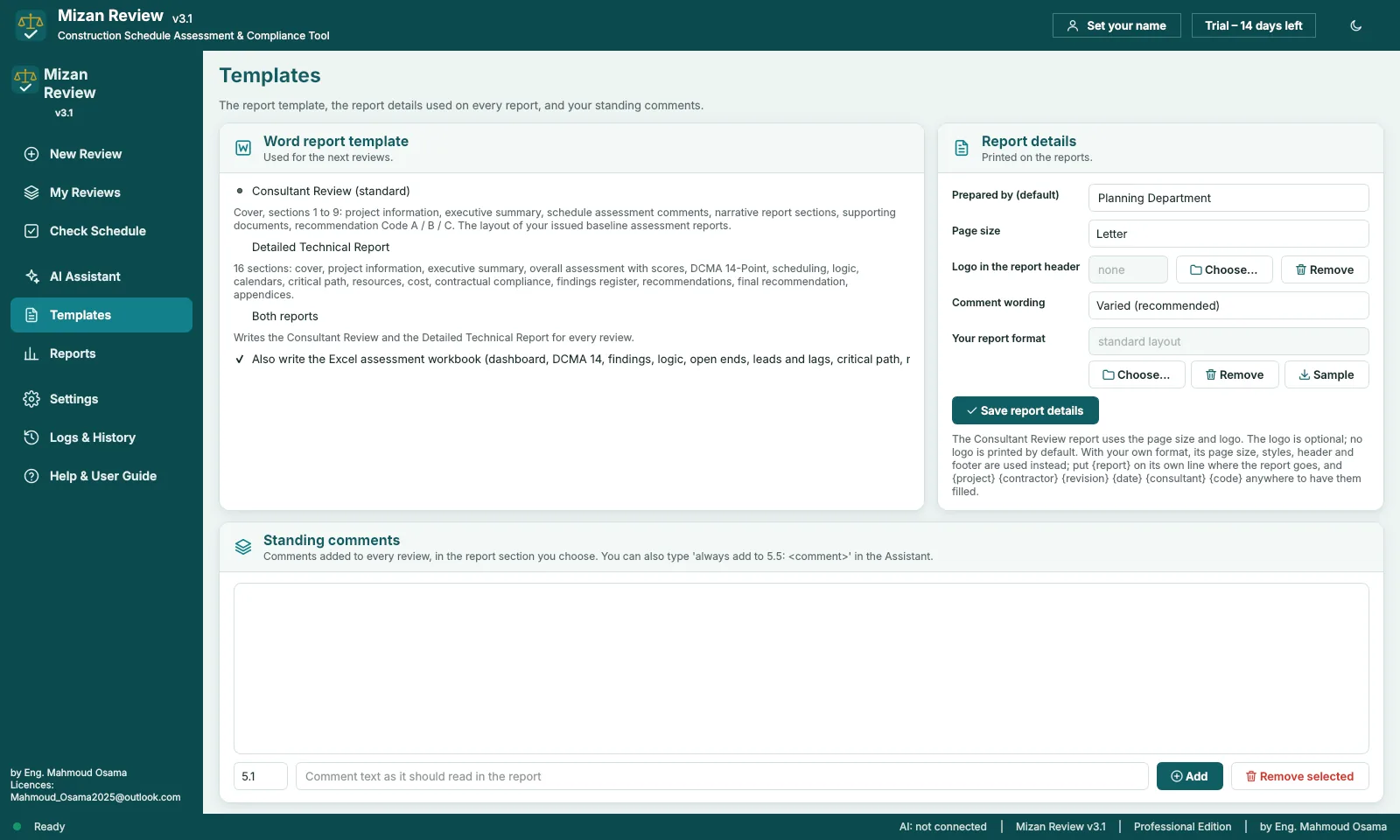
- Consultant Review report (Word), the layout of an issued baseline review
- Detailed Technical Report (Word, 16 sections) if you want it
- Excel assessment workbook: 17 sheets, 19 when cost and resource loaded
- Quality and DCMA scores on a results dashboard
Each finding says what is wrong, why it matters and what to correct.
Findings are graded Critical, High, Medium, Low or Informational, and can be filtered by severity, category and Activity ID.
The recommendation (Code A, B or C) is always chosen by the Engineer. Mizan Review gives the evidence; it never decides the code.
Written into your own Word format.
Load your company's .docx or .dotx and the review is written into it with its page, styles, header and footer. Put {report} where the review goes, and {project} {contractor} {revision} {date} {consultant} {code} anywhere you want them filled.
Comment wording varies from comment to comment, so a long report does not read like one sentence repeated. Standing comments you add once appear in every review.
Edit the review by asking
Delete, reword, shorten, move or merge comments, or correct the report details, in English or Arabic. Each change goes into the reports at once.
My Reviews
Every review is kept. Reopen its reports, compare two revisions of the same programme, or load a review back to run it again.
Check Schedule
A quick check of a programme without documents or a report, when you only need to know where it stands.
Mizan Builder and Mizan Review are open for early access.
Download the full program and use it on your own projects. Every feature works for 14 days, and an e-mail gets you a free key until 31 January 2027.
- Runs on
- Windows 10 / 11, 64-bit
- Where your files go
- Nowhere. It runs on your PC
- Early access
- Free key until 31 January 2027
- Licence
- One key per PC